
Building an online TTRPG toolkit - Part 5: Sound and fury
 Stephen Collins
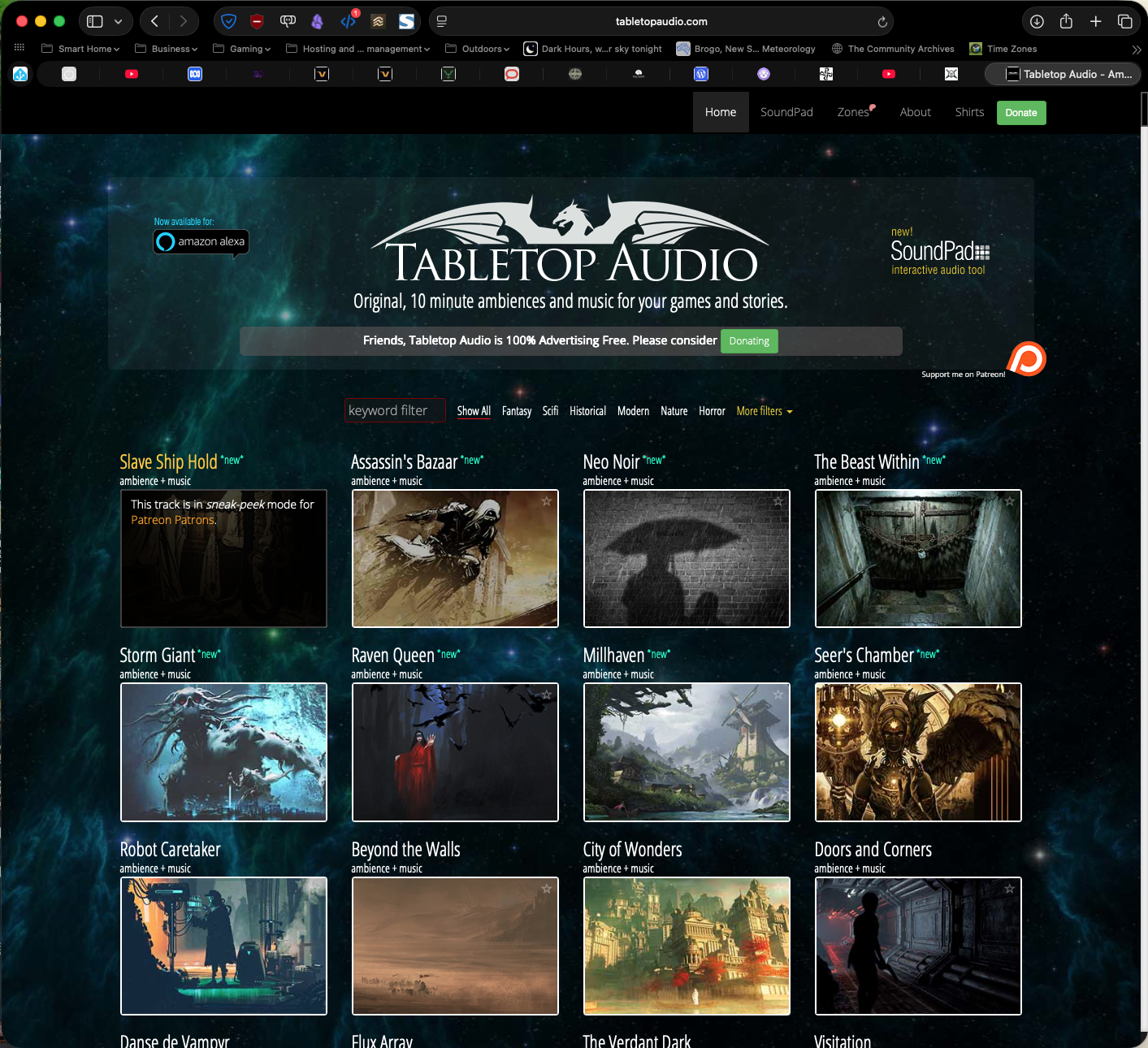
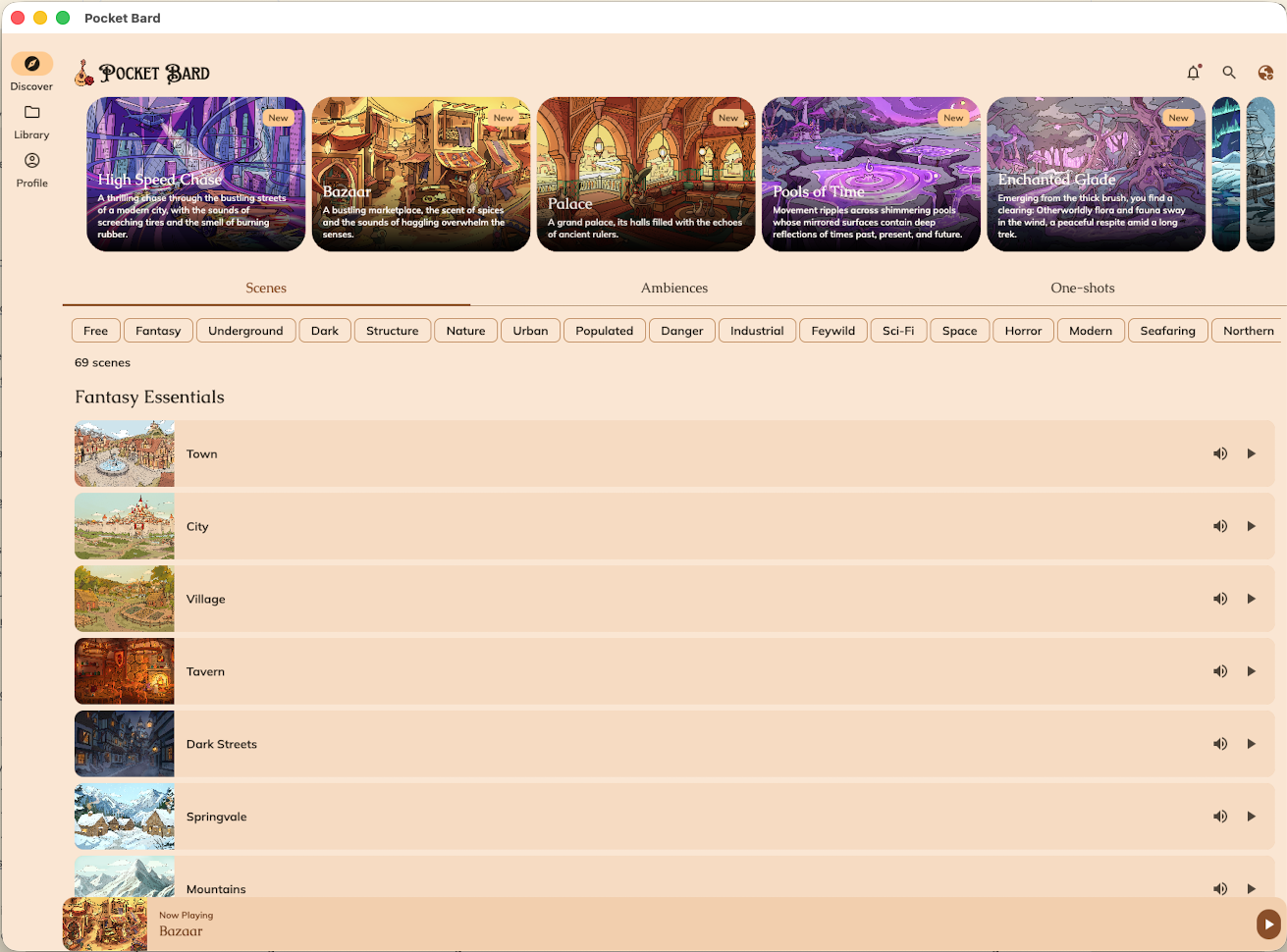
Long ago, adding atmospheric sound to my TTRPGs for my group involved choosing a vinyl LP and putting it on the record player. There's 30-40 minutes at most in that. These days, we have the almost bottomless resource of the several streaming music suppliers (don't choose Spotify, their CEO invests in arms manufacturers and they pay among the lowest royalty rates to artists) as well as specialist sites like Tabletop Audio and applications like Pocket Bard (a 2026 ENNIE nominee).
If you can juggle all the balls needed to have atmospheric music and SFX in your game, it can make a positive difference to the mood around the table (or on the call). It is, however, another thing to keep your head wrapped around and you should look to strike a balance between scene-specific music and effects (heavy attention required), broader adventure-relevant tracks (some attention needed), and a soundtrack of generally thematic music (much less onerous).
If you're doing this around a physical table, it's pretty straightforward: set up a playlist and a Bluetooth speaker and hit Play whenever the right moment comes. Doing this in an online session is a bit more involved. Here's how I'm doing it.
Sourcing music
One way or another, your music is probably not coming for free. You're paying for a streaming service where you can pick from hundreds of thousands of tracks written for non-TTRPG reasons, but that fit your game. You've bought a commercial product or backed a crowdfunded project that includes music (hopefully not AI-generated). Or, you've chosen to use a tool like the abovementioned Tabletop Audio or Pocket Bard (there are others, but these are the ones I know and work with). Honestly, it doesn't matter where the SFX and music comes from. What matters is that you get it to the table.
I get my music for the table from:
- playlists on Apple Music for various movies, games, and classical recordings
- Tabletop Audio, where I use the free tracks
- Pocket Bard, which I pay for and which offers both ambient music and SFX across a broad range of themes
Getting music into Kenku.fm
Kenku.fm, from the same team that makes the Owlbear Rodeo VTT, offers a complete audio setup including local music sharing, streaming from the web, and hookup to the Elgato Stream Deck. It's also open source software, which I'm very much in favour of.
You'll need to do a little bit of legwork to get Kenku wired to Discord and your various music sources. It's fully documented on their website, with clear step-by-step instructions. You will create a bot that can be connected to a Discord voice channel.
One of the easiest parts of your setup will be adding music to Kenku.fm. Once this is done, any service recognised by Kenku as a provider can be piped into the Discord channel. This works out of the box for playlists created within Kenku itself, and for web-based providers.You have a bunch of options, including:
- using the inbuilt browser to stream from a website like YouTube or Tabletop Audio
- building playlists in Kenku.fm by adding tracks from Apple Music or a similar provider
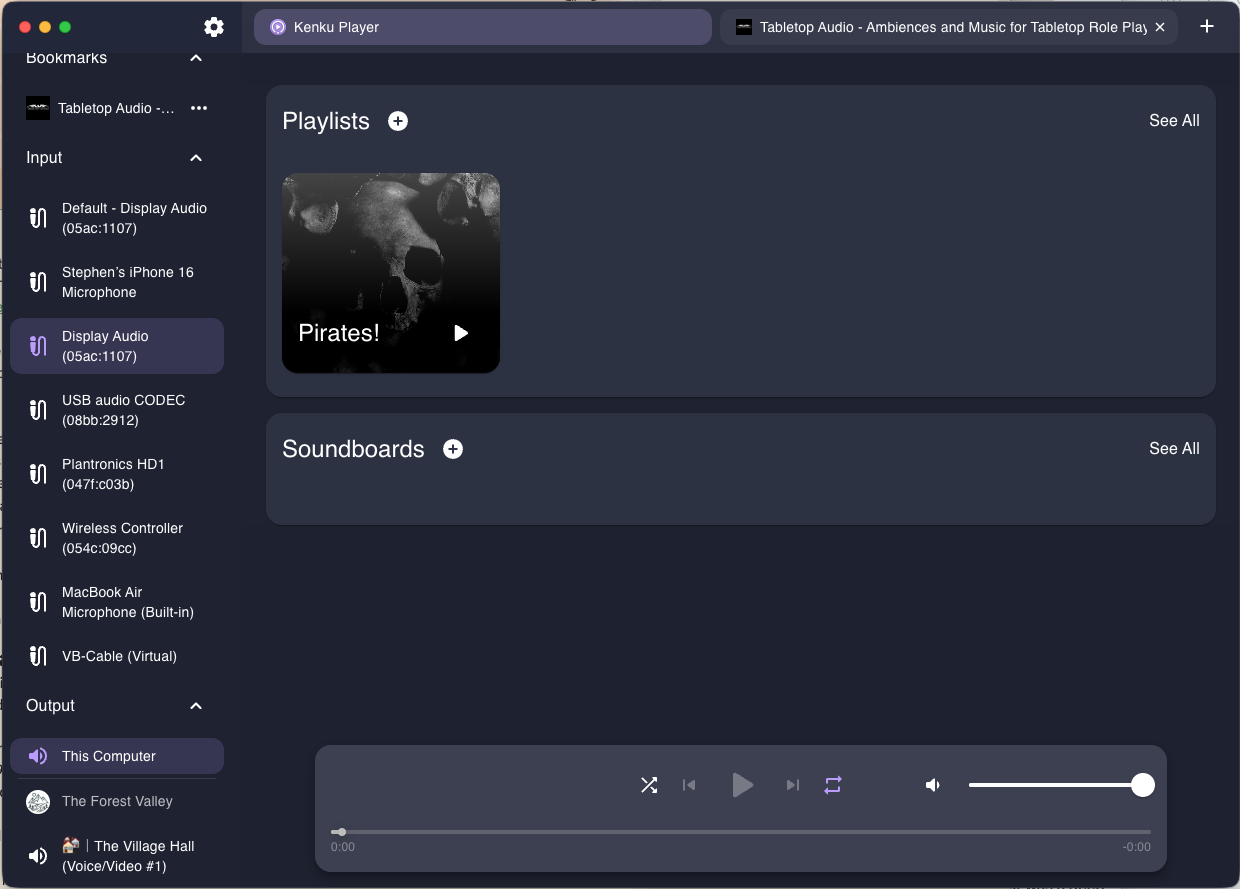
Once you have a selection of providers in Kenku.fm, you can route music to Discord via the bot you set up when installing. We're going to go an additional step down this rabbit hole and (virtually) wire an additional provider into Kenku.fm.
Getting Pocket Bard into Kenku as a provider
If you're a Pocket Bard user as I am, this will require the most effort from you, though I believe the end result is worth it. The same process will work for any standalone app such as Apple Music.
First, install the Pocket Bard app and a virtual cable utility such as VB Cable. Both are paid applications, so this will cost you a little bit; Pocket Bard is US$49.99/year. Yes, it's subscription pricing, which is somewhat irksome, but you get everything in the app, and any new soundscapes they release. VB Cable is US$5.00. Cheap.
Next, install a utility that allows you to send Pocket Bard's audio to a secondary output (the virtual cable) because this functionality is not available in macOS. I can't speak to how this will work on Windows, because I am not running that trash in my network.
I use SoundSource, also a paid app. It's quality kit, so the US$49 one-time price is not a massive outlay. You'll end up using it for more than this use case, for sure, as you can configure and then save things like gaming audio setups, our your setup for streaming or podcasting. Once SoundScape is up and running, route Pocket Bard's output to the virtual cable in the app.
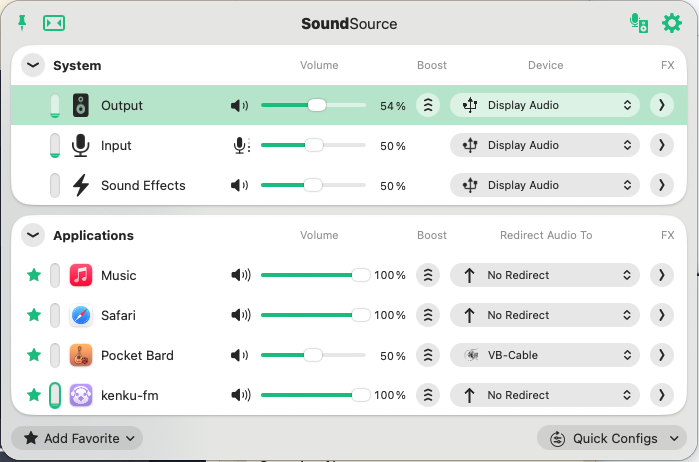
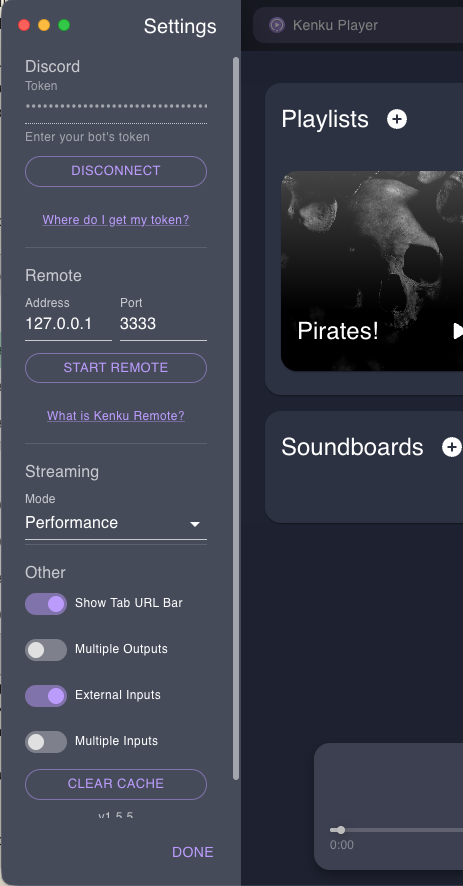
Next, hop over to Kenku and click the settings icon. Turn on 'External inputs' and click DONE. The virtual cable you installed will now be an input source for Kenku to use. Select it to use it. It will change colour. At this point, you should be able to hear Pocket Bard playing locally on your computer, assuming you have kicked off a soundscape there.
Final step now...
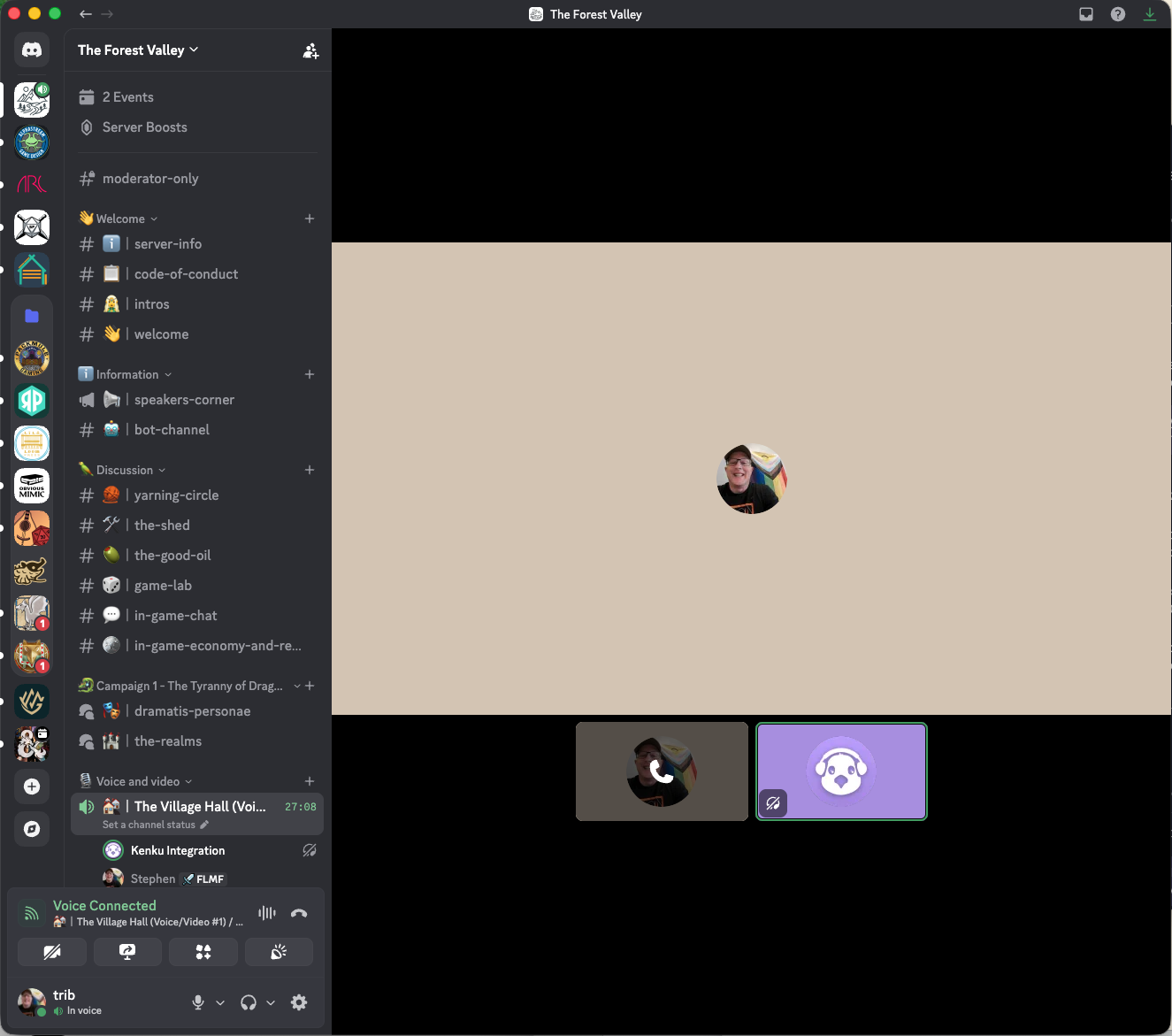
In Kenku, change the output from "This Computer" to a voice channel on your Discord server. Because the bot you made earlier in connected to your server, all your Discord voice channels should be displayed already.
Kenku will be added to your Discord voice channel as a participant and the sound from Pocket Bard should now be playing in that channel's audio, and Kenku will appear as a participant in the call.
At this point, you're all go. It's up to you to cue up and control those sounds in Pocket Bard and make them part of your play!
Is this really necessary?
By no means. But, Pocket Bard has some excellent soundscapes and drop-in SFX available in its catalog, and if it's the lkind of thing you want in your game, either around a table or online, then it's worth testing out. Like many of these tools, it has a free test option so you can try it out.
So, that's it for my online play toolkit series. I do hope it's been interesting to the dozen or so of you reading.
I'm planning some game mechanical things next, so it might be a couple of weeks before I post again.

Comments