
Building an online TTRPG toolkit - Part 4: Campaign management, scheduling, economy, and notes (and a review)
 Stephen Collins
The three previous posts in this series addressed necessary parts of the play toolkit: campaign preparation and record-keeping, group communication, and a place to play. The first two, I consider necessary but not sufficient parts of any campaign; you could use them for any group playing any TTRPG in any context. With a VTT and all the character, visualisation, and encounter management that hangs off it, you can certainly use such a thing around a physical table (as shown frequently in D&D's official actual play, Dungeon Masters), but a nice Chessex wet-erase mat and some minis will also do the job.
Today, we're going to look at something quite new—the 2026 ENNIE Best Aid/Accessory - Digital-nominated West Marches—that you could choose to use as a supplement to what you do in Discord, and the features it offers. This post is a summary of how our group is using it, and also a review of the product. I've seen a few of the D&D influencer types do brief commentary on it, but I don't think I've seen anyone do a full review.
So, what is West Marches? In their own words, it's a tool that meshes with your group's Discord server for "[s]cheduling, progression, rewards, wiki". That's accurate. But where's the value? Can't you do all this just with Discord? Well, sure, you can. But West Marches, at least on the use we're getting, offers a few extra benefits. Let's enumerate them.
Getting started
To start, you create a Community; give it a name, a short description, pick your game system from the 22 (!) available (plus a generic option), your base language for users, your timezones (yes, multiple, if you want), whether the community is public and therefore open to player and additional GM signups, and your Discord invite link. Then you add the bot to your Discord, choose your scheduling mode (GM scheduling and add players, or Player scheduling and a GM picks it up), and permissions for adding and changing things on your site based on roles within your Discord (so, we have GM and Player roles). From there, you're good to start and you're walked through a few additional steps such as which Discord channels West Marches will post to and for what kinds of messages.
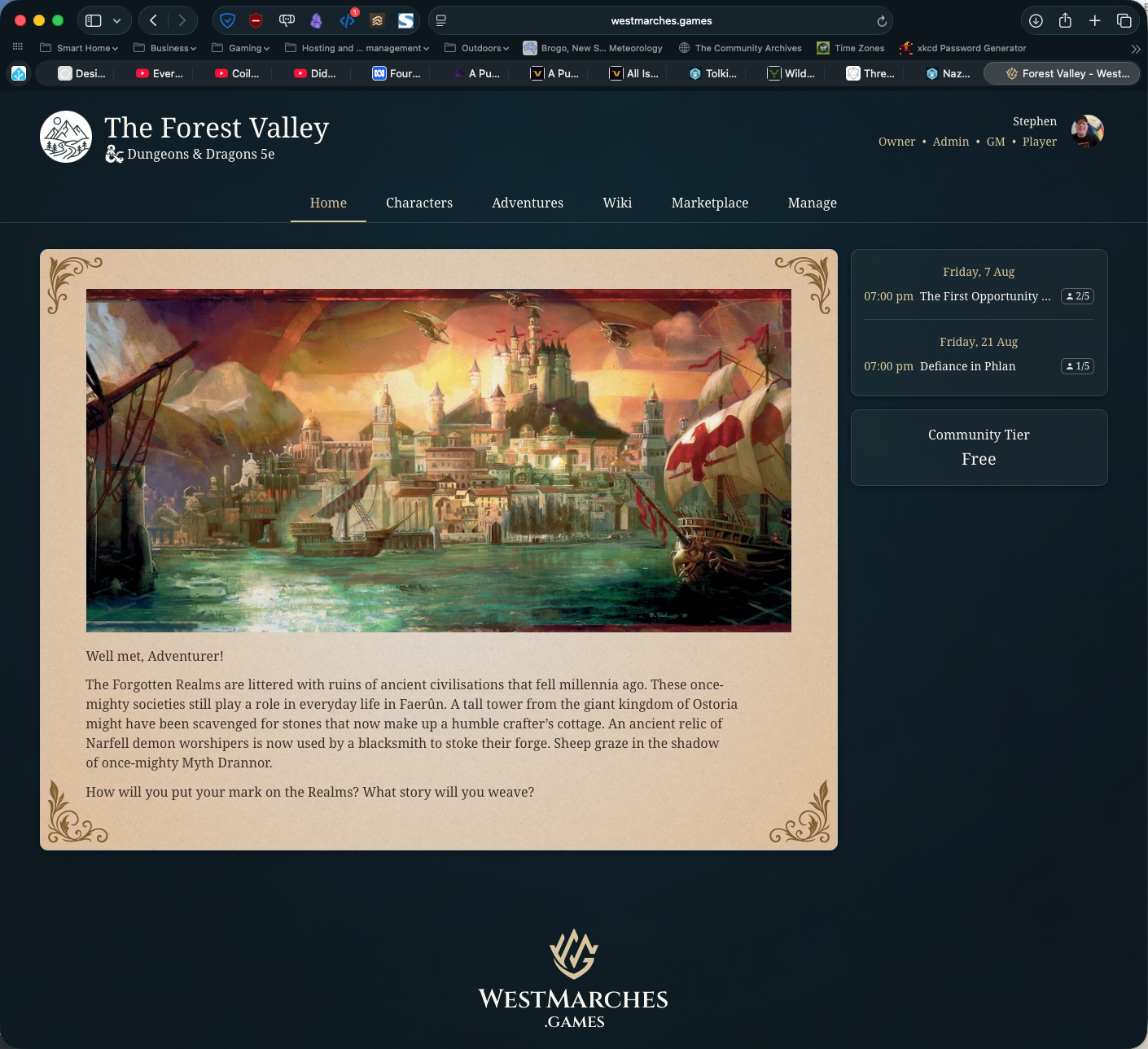
It's worth noting at this point that there are a significant number of additional features available. Many of these are available on the free tier, and certainly enough to prove the usefulness of West Marches at that tier, but some quite useful features are locked behind one of the three paid tiers, including character inventory management linked to the economy you build in West Marches, adventure tiering and level settings, community statistics, some wiki functions, themes, travel configuration, additional storage, inventory management linked to in-game marketplace and economy, and a calendar of player availability. None of these are critical for a small, single group of players and GM. The only one I wish was in the base tier right now is inventory management; it is potentially very useful.
If you're running a large, persistent world with many players, GMs, and adventures, these features would become increasingly useful. The paid tiers aren't cheap—anything from AU$10-AU$40 per month—so you definitely need a use for those extra features to commit. For our group of 5, they aren't necessary. West Marches is clearly designed to allow for that large, persistent world with characters dropping in and out as their IRL humans run their mundane lives and aren't always available for a regular Friday night session.
Who's who?
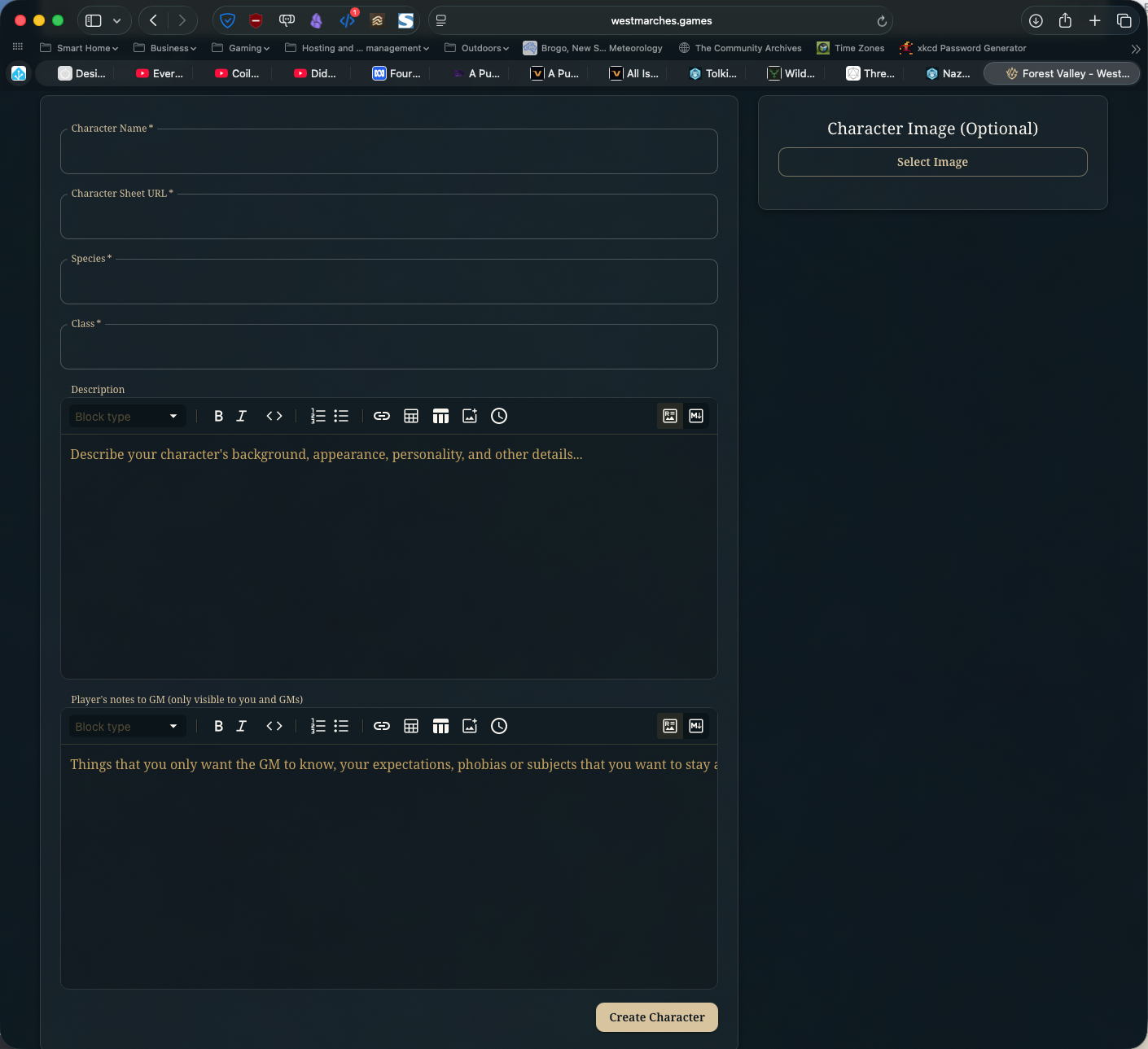
Once you've completed basic setup, you can begin using West Marches for session scheduling. You'll need to add (or better, have your players add) characters. The character adder allows you to specify a URL from somewhere like D&D Beyond and will then import base character details. There's also a useful Player's notes to GM section where things like player safety notes can go. I have a couple of players that have used this to let me know some of the things they can't deal with in games. The West Marches character sheet isn't designed to replace Beyond and similar platforms, rather, it allows for the marketplace, inventory, and reward systems to interact with the characters and your Discord server.
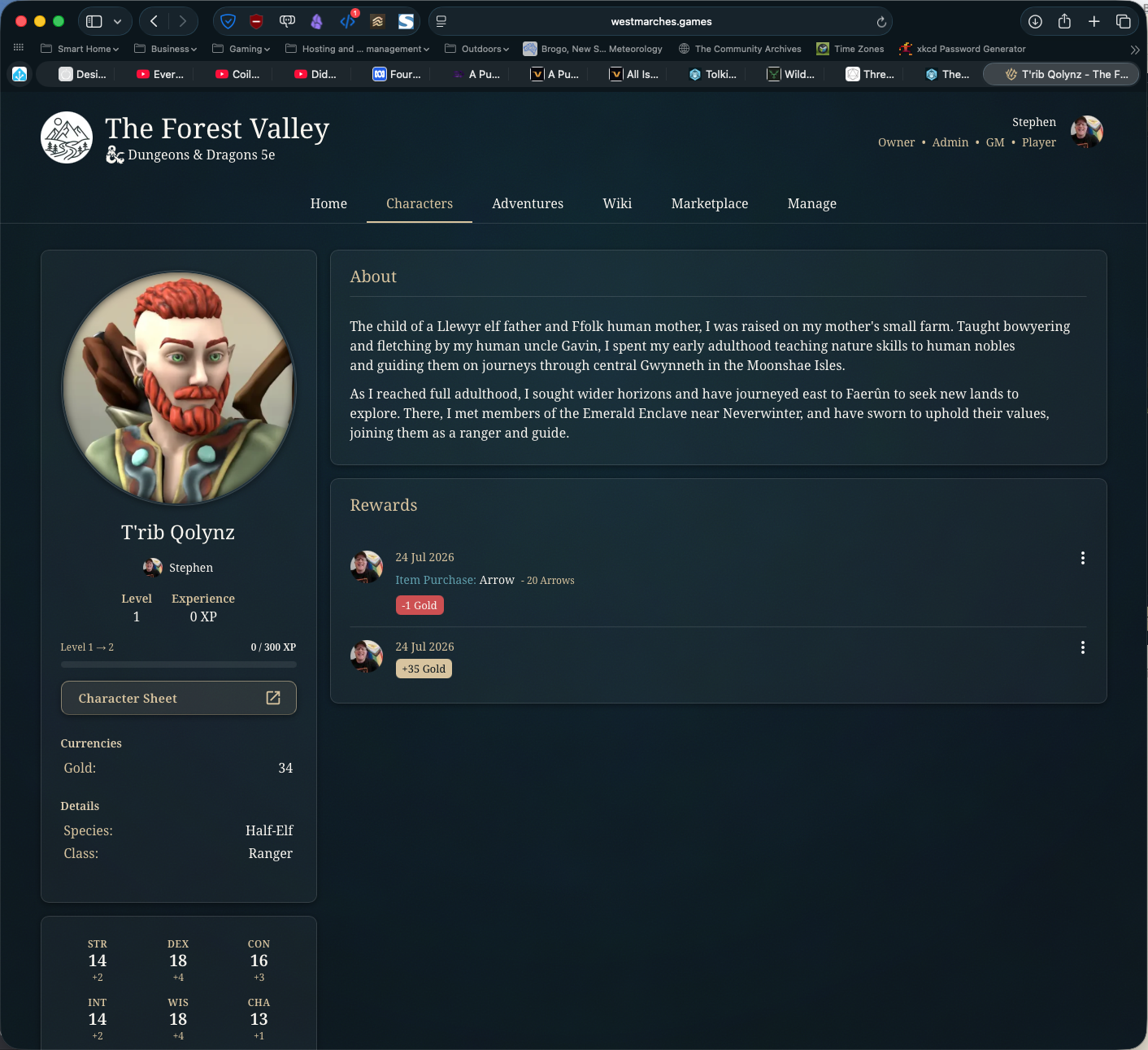
Your character is then added to West Marches and as you participate in adventures, receive GM rewards, and engage in the in-game economy, your sheet is updated. All those things also get posted in-context to your Discord server.
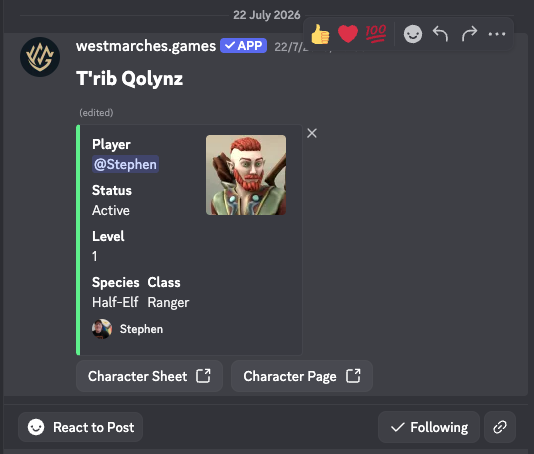
For example, when one of your players adds their character to West Marches, a message is sent to your Discord server, potentially for GM approval of the character if you have that turned on. You can then have a full-fledged discussion on Discord about the character if you wish.
So, when are we playing?
Good question! The Adventures tab of West Marches is where all your scheduling happens. Someone (in our case a GM: me) creates an adventure item with date and time details and can add images, text details, minimum and maximum levels, the number of players needed, whether signups are automatically approved, and which Discord roles are notified. As part of your general management, you can also decide whether the item gets added to your Discord server as an event.
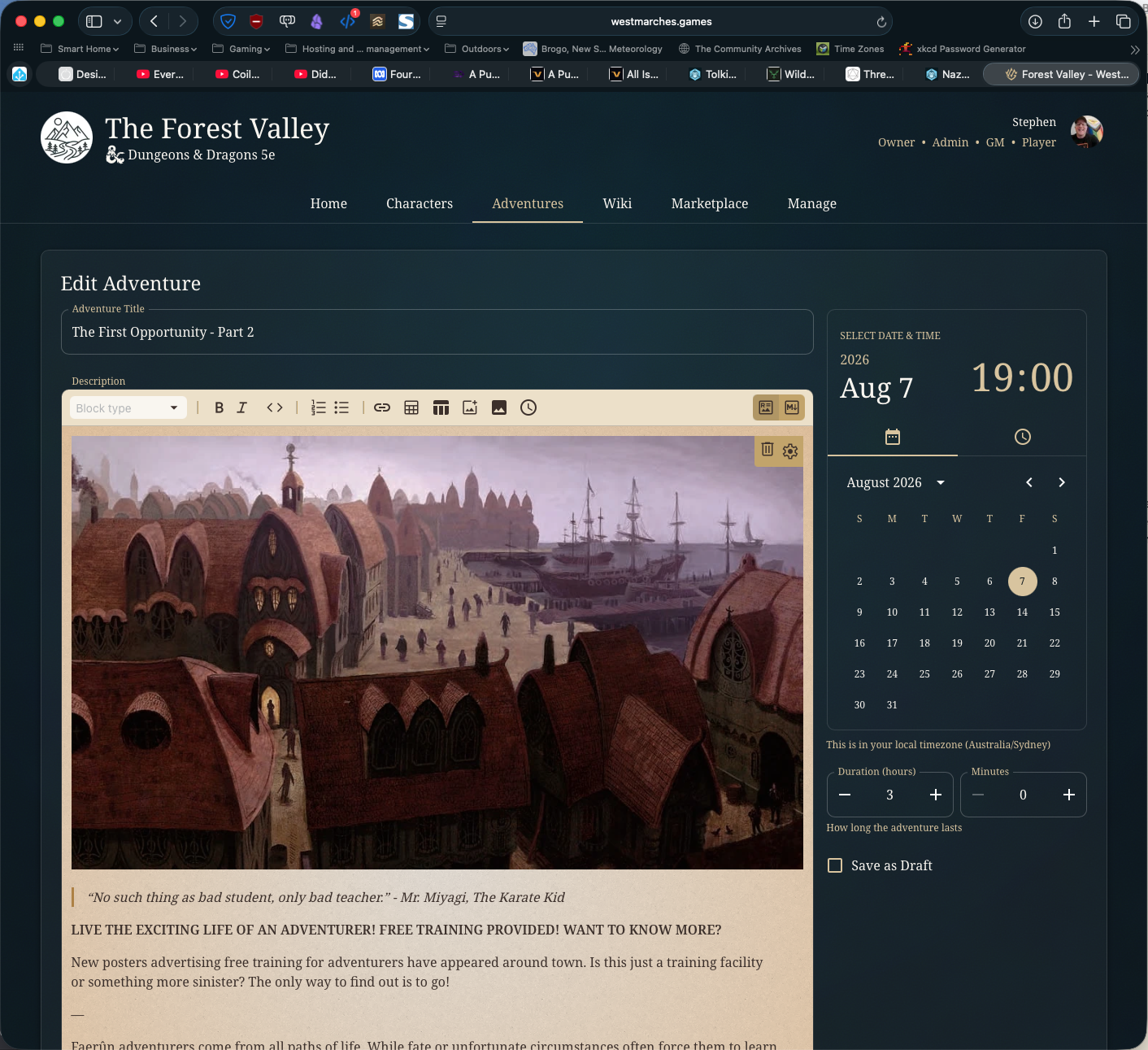
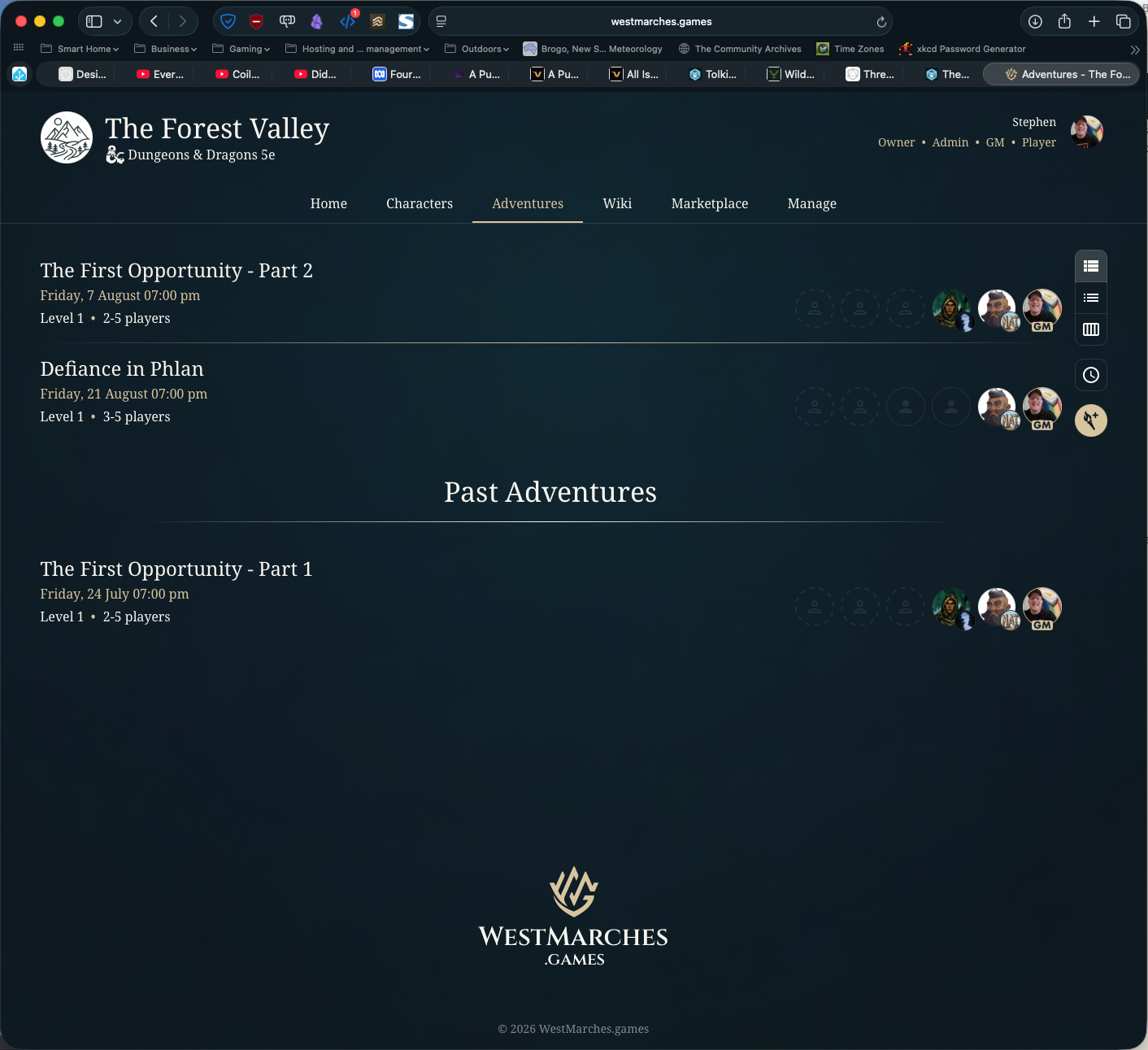
In West Marches' model, a session is an adventure, so if you're planning to run adventures that will span more than one session of play, you'll need to break it up into multiple events. That's a very West Marches (the thing vs. the tool) way of thinking about play. It's not a hassle, though I would like to see a way to schedule a multi-session event.
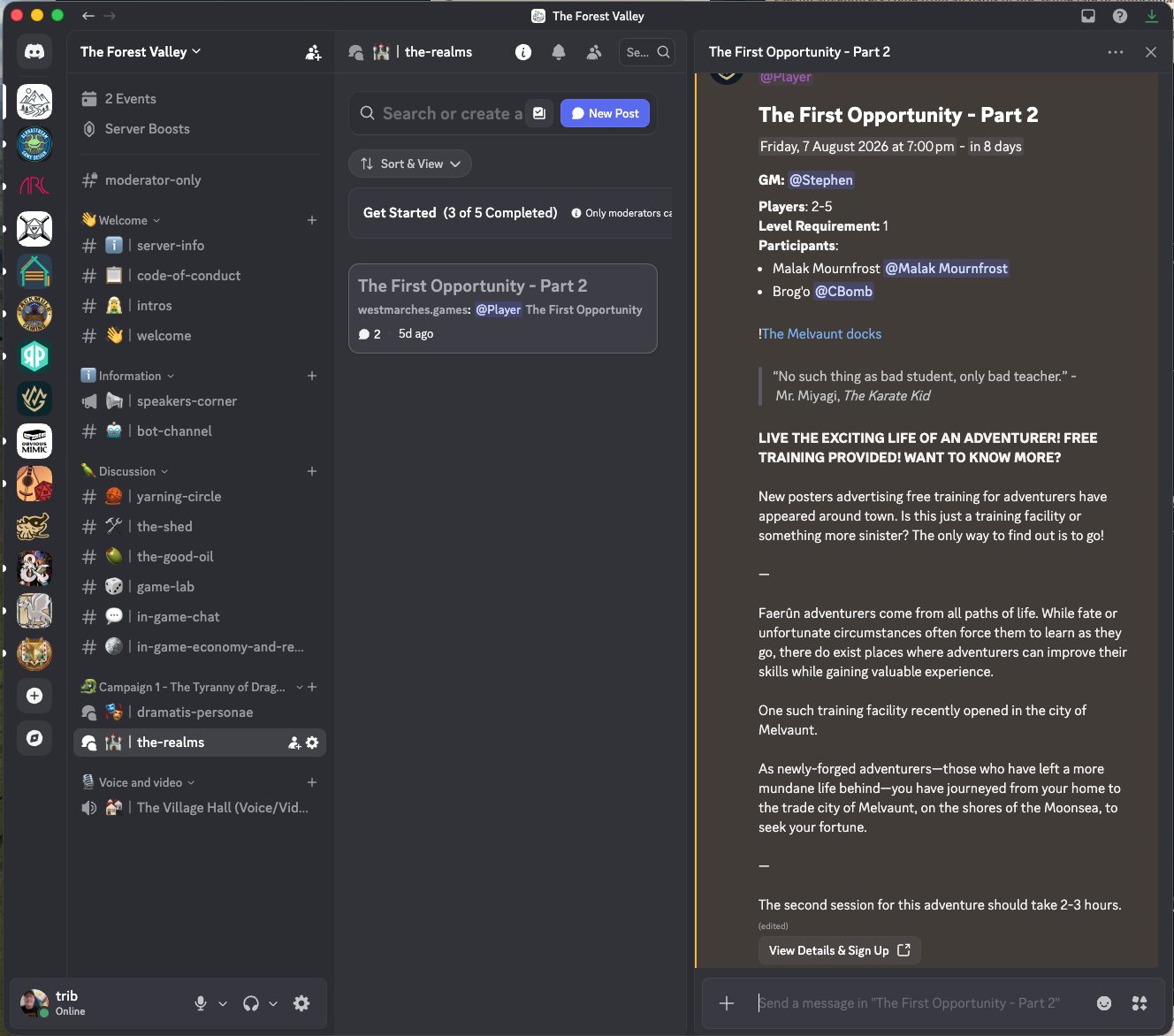
Once a session is saved, it is posted to the nominated channel on your Discord server and your players can click a link to see session details and sign up to play.
From here, it's up to you.
At the end of a session, a GM can hand out monetary and item rewards. And again, details are posted to a nominated channel in your Discord. West Marches recommends XP based advancement rather than milestones for this purpose. So long as you can manage it in your group, I don't think it matters. If you're using West Marches for a large, persistent campaign, it would come in very handy.
At the end of a session, a GM can also make notes about the adventure; in effect a session summary. That session summary becomes an adventure recap in the campaign wiki ("Nice"). Once again, that session summary gets posted to the specific adventure thread in Discord for everyone to read. It's really quite a neat system.
What happens when...?
The wiki component of West Marches is very handy for making your hard-written lore and homebrew available to your players. This kind of information management would previously have been done with handouts, bodged in Discord, or managed in a shared drive nobody loves. Now you have a pretty decent option.
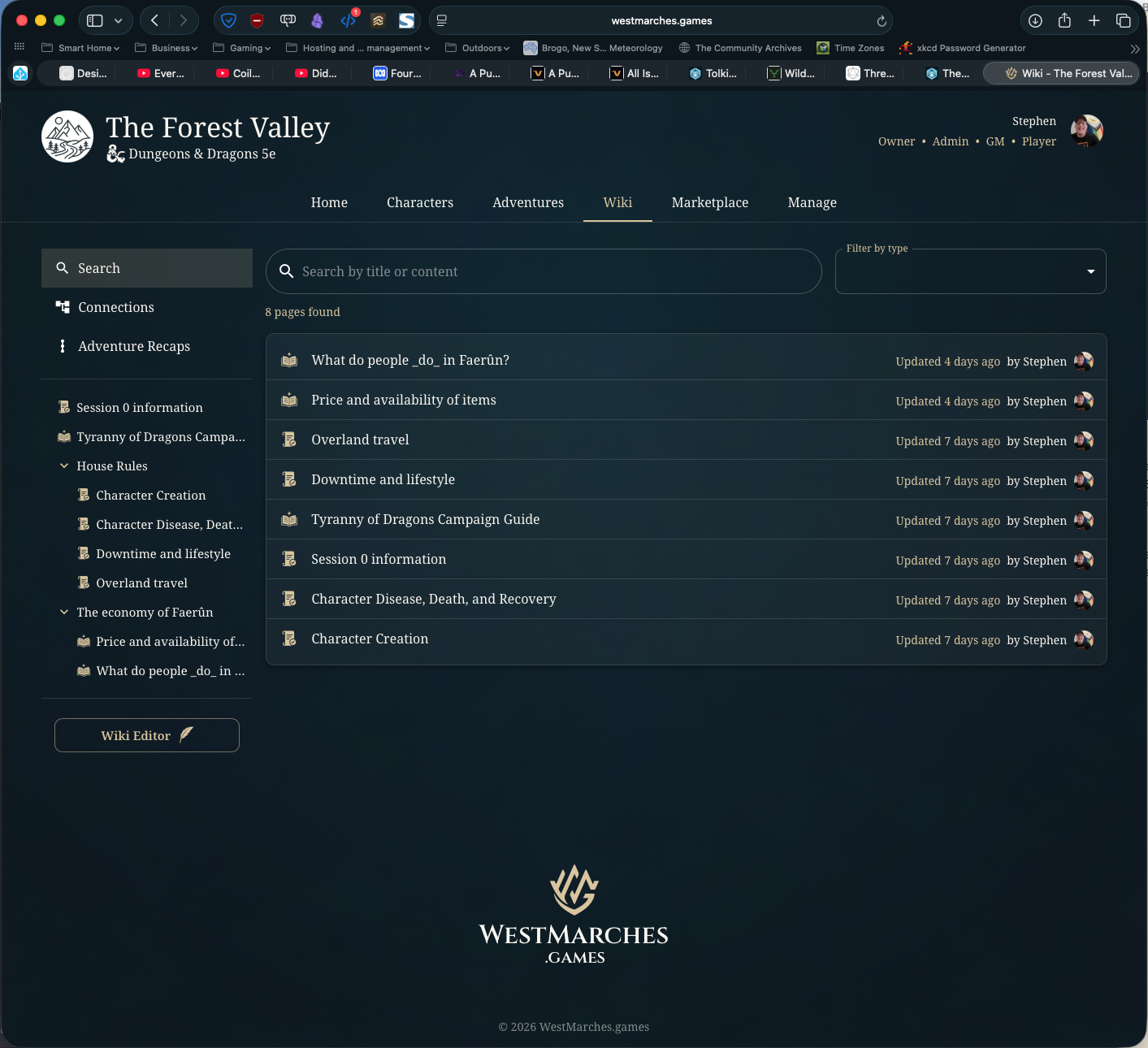
As you can see, while our wiki is still small (we've only had one session so far), some useful things are there including our Session 0 information, a campaign guide (thanks, Mike Shea, for your guidance here), character creation guidance, and some homebrew and in-game information for the GM and players. As you write wiki pages, you can create connections between them and you will end up with a relationship map of your campaign, not unlike the one Obsidian creates.
You can create several kinds of content in the wiki including general content, maps, timelines, and hexcrawl maps. There is a built in hex map editor you can use if you're homebrewing your world (I suppose you could also recreate an existing map for somewhere like Faerun or anywhere else).
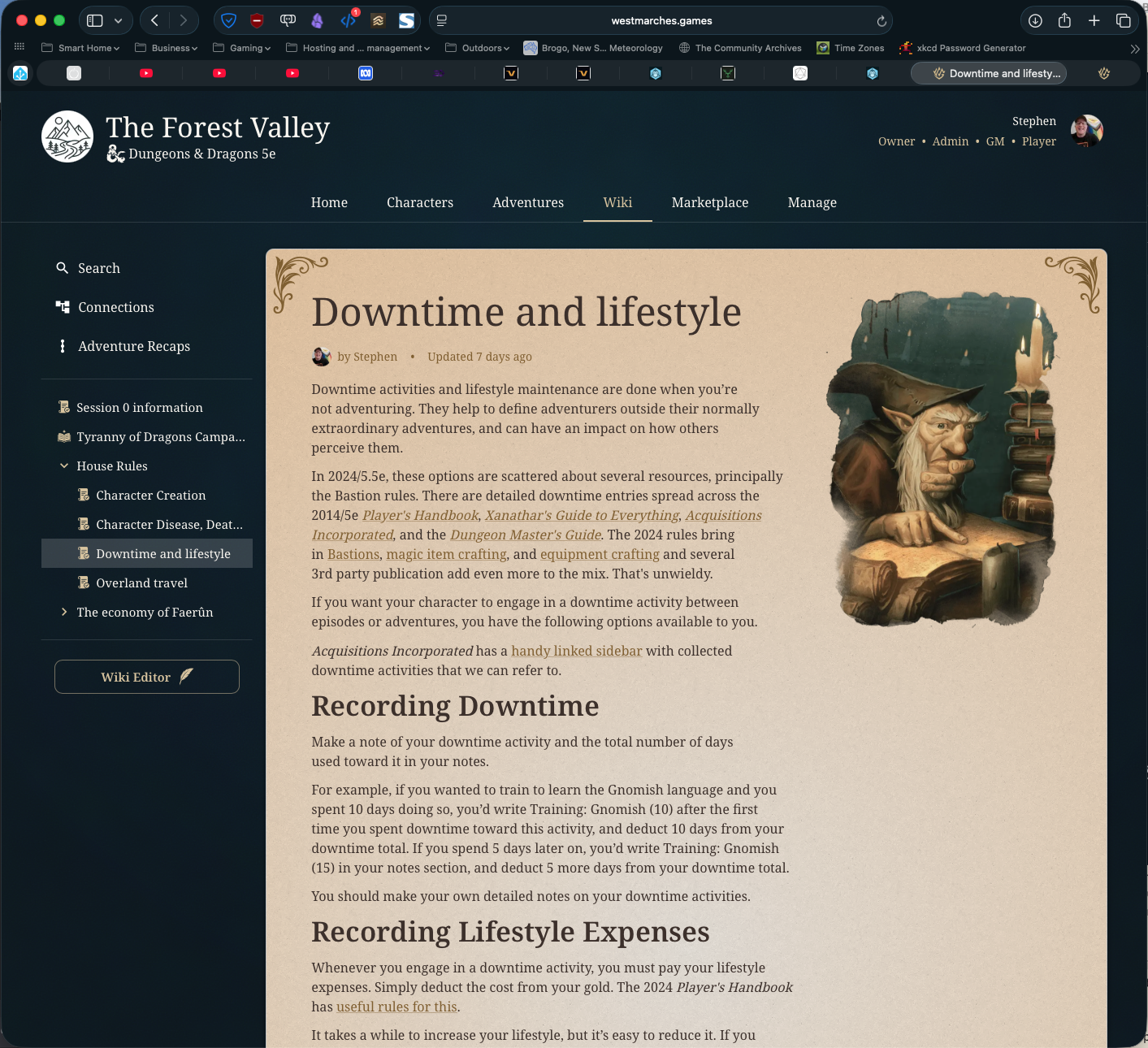
The free mode of West Marches only allows you 10Mb of image storage, which is a bit of a pain. The editor will let you nominate a URL for inline images within a page, but not for maps or content feature images. Storage isn't cheap, so I do understand this. Blame the AI techbros. The paid tiers offer a lot more storage.
"Do you need me to get milk at the shops?"
One of the least expected features of West Marches is the existence of an in-world marketplace and economy as an included, optional feature. You don't need to use it, but it's kind of cool. There are built-in base markets for various item types that you can add, and if you have your world's price information in a spreadsheet, you can literally paste additional data straight in when you turn on edit mode.
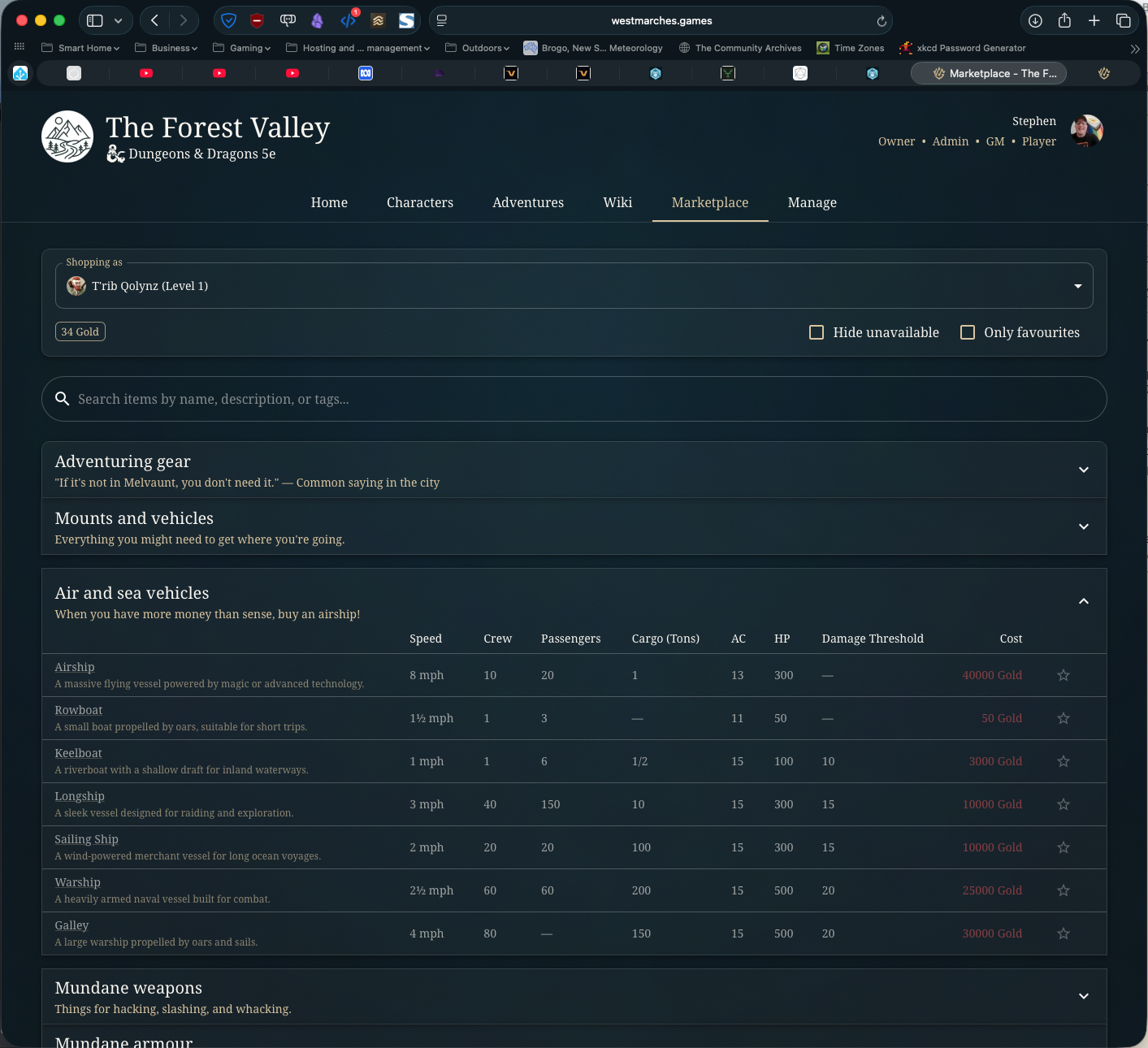
This is absolutely not a feature you need, but I suspect we'll make good use of it as time goes on. The default markets I've added don't have the range of things I want available, so I have a pretty hefty task ahead of me to flesh them out, based on the well-known D&D Shop Catalog document to be found on Reddit.
Player transactions on the marketplace are posted to Discord in the channel you nominate for economic activity. Useful! What's missing here is full inventory management and in-game trade for characters using the marketplace. That's a paid-tier feature that comes with the AU$20/month tier. Again, if you're running a big, persistent world, that's something you might want.
Do I really need this?
Nope. But is it going to smooth out some of the bumps and make your campaign management life a hair easier? Absolutely. On that basis, and because the free tier has most features turned on, I recommend you at least take a look to see if it's for you. I estimate somewhere between 1 and 5 hours of prep before you loose it on your players.
So that's it for campaign management with West Marches. This is the second-last of my TTRPG toolkit posts. Tomorrow, a bit of sound and fury.

Comments